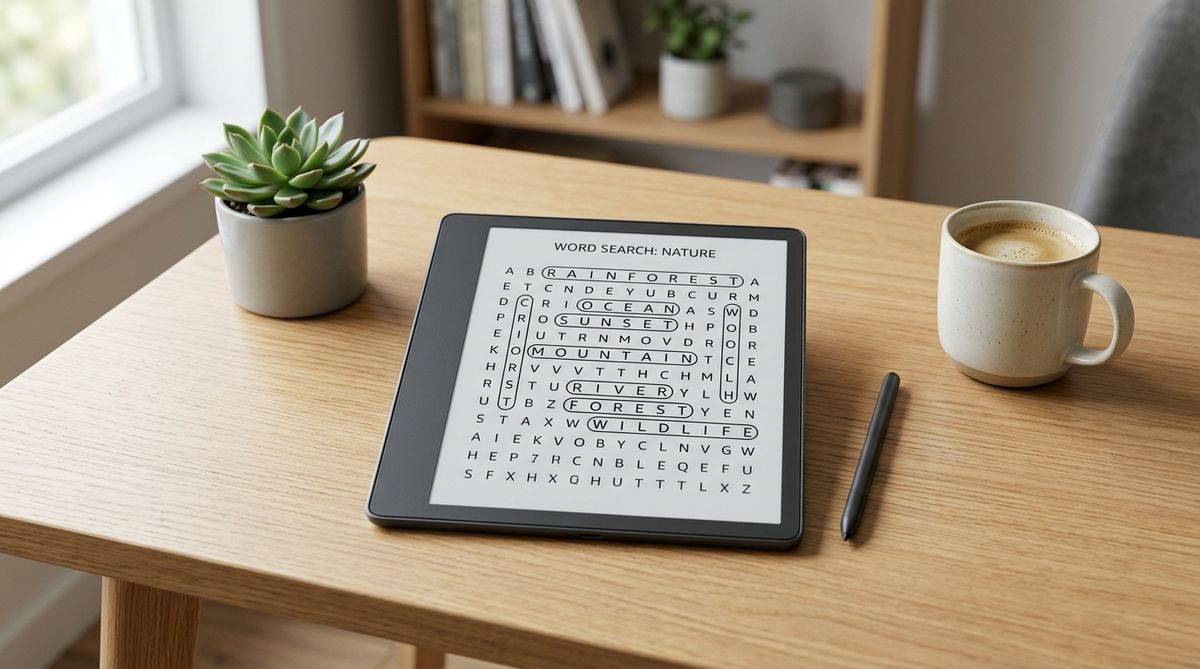
The Best Kindle Scribe Puzzle Books in 2026
The Kindle Scribe changed how I think about puzzle books. I've published over 30 paperback word search collections, and when Amazon invited me to design interactive content for the Scribe — it's currently an invitation-only program — I jumped at the opportunity. The experience of tapping a puzzle number to jump straight to the solution, then tapping again to go right back, is something paper simply can't do.
But not every Scribe puzzle book is worth your time. Some are just PDFs dropped onto the platform with no thought for the stylus experience. Others are genuinely built from the ground up for how you actually use the device. Here's what to look for and my honest picks for 2026.
What Makes a Good Kindle Scribe Puzzle Book
Hyperlinked Navigation
This is the single biggest difference between a Scribe-native puzzle book and a regular ebook. A properly built Scribe book lets you tap a puzzle number in the index to jump directly to that puzzle. From the puzzle page, you can tap to see the solution, and from the solution, tap to go back. No scrolling through dozens of pages to check your answers.
If a Kindle Scribe puzzle book doesn't mention hyperlinks or interactive navigation in its listing, it's probably just a standard ebook reformatted for the larger screen. I'd skip those.
Stylus-Friendly Layout
The Scribe's stylus is what makes it special for puzzles — you can circle words, write in letters, and mark up the page just like paper. But the grid needs to be sized right for your pen. Grids that are too small make writing feel cramped and frustrating. Good Scribe puzzle books use generous spacing and large grids that fill the screen comfortably.
Solutions Included
Just like with paperback puzzle books, I always look for solutions. Being able to tap through to check your answers is one of the best parts of solving on the Scribe — but only if the book actually includes a solution section with working hyperlinks.
Best Kindle Scribe Word Search Books
Word search is the most popular puzzle category on the Scribe, and for good reason — circling words with the stylus feels natural and satisfying.
Hazel Woods Large Print Word Search (Vols 1–8)
These are my books, so I'm biased — but I designed them from scratch for the Scribe experience. Every volume has full hyperlinked navigation between the index, puzzles, and solutions. Each contains 50 themed puzzles with trivia questions between sections.
The themes range from travel destinations and classic movies to holidays and nature. I use a 15×15 grid with large print that fills the Scribe screen well, and every puzzle includes all 8 directions including diagonals.
A few good starting points: - Vol 1 — the original, varied themes - Vol 7 — one of the more recent volumes - Vol 8 — latest release, most polished navigation
PixelSmart Books Ultimate Word Search
PixelSmart's Ultimate Word Search is a Kindle Scribe exclusive — 50+ puzzles across three difficulty levels with hyperlinked navigation. The design is clean and minimal. A solid pick if you want difficulty variety rather than themed content.
HUGE Interactive Word Search Puzzle Book
The HUGE Interactive Word Search series by Mariusz Grabowski shows up regularly in Amazon's Kindle puzzle bestsellers. It offers interactive features and a fun twist — the unmarked letters in each solved puzzle reveal a hidden quote. Worth a look if you enjoy that extra layer of discovery.
Beyond Word Search
The Scribe works well with several other puzzle types too.
Sudoku
Sudoku is arguably the second-best fit for the Scribe. Writing numbers with the stylus feels precise, and the grid format translates perfectly to the screen. I publish a Calm Sudoku — 100 Easy Puzzles book specifically for the Scribe, designed for relaxing solving sessions with large grids and clean spacing. PixelSmart's Ultimate Sudoku is another good option with easy-to-hard difficulty levels, and Robyn Wade's 2026 Sudoku Puzzle Book is well-reviewed too.
Crosswords
Crosswords work on the Scribe, but they're trickier — clue text needs to be large enough to read, and grid squares need room for handwritten letters. Amazon's "Write-on Crossword puzzles for Kindle Scribe" category has grown to over 1,000 titles, so there are plenty of options to choose from. You can also send free crossword PDFs to your Scribe from sites like The Guardian or Krazydad using the Send to Kindle feature — just note that PDFs loaded via USB don't support handwriting, only those sent through Send to Kindle do.
Word Fill-In Puzzles
These are growing quickly on the platform. You fill a crossword-style grid using a provided word list, with a starter word already placed. Robyn Wade and others have established series here.
Mazes
Tracing paths with the stylus is a surprisingly natural fit. PixelSmart's Ultimate Maze Puzzles offers 100 hyperlinked mazes from easy to hard — a good option if you want something different from word and number puzzles.
Getting the Most Out of Your Scribe
A few tips from my own experience designing and solving on the device:
- Use the eraser freely. If you circle the wrong word or start highlighting a false match, you can erase cleanly and try again. This is actually an advantage over paper, where a wrong circle is permanent.
- Adjust your brightness. In low light, bump the front light up so the grid lines stay crisp. The E Ink display is easy on the eyes for long sessions, but too-dim lighting makes pen strokes harder to see.
- Use a thicker pen stroke. The default thin line can be hard to spot when scanning back through a completed puzzle. A bolder stroke in the pen settings makes your found words stand out clearly.
- Start with one book. Before stocking up, buy a single volume to make sure you enjoy digital solving. Some people love it immediately; others realize they prefer paper. Both are completely valid.
- Download before you travel. Scribe puzzle books work entirely offline. Load them up before a flight and you're set — no Wi-Fi needed, and the battery lasts weeks.
What to Check Before You Buy
Read the "Look Inside" preview if it's available. Check whether the navigation is actually interactive — can you see hyperlinks on the index page? Is the grid large enough?
Look for "Kindle Scribe Only" in the title. Books designed exclusively for the Scribe will have proper layouts. General Kindle ebooks that happen to display on it often look too small or lack stylus support.
Read reviews for stylus feedback. Other Scribe owners will mention whether the grid is comfortable to write in. That's something you can't judge from the listing alone.
If you're new to Scribe puzzles and want to try the concept first, you can play a free interactive word search on our website — it'll give you a feel for digital puzzle solving before you buy anything.
Scribe vs Paperback — Which Is Better?
Having published in both formats, I think each has real advantages. I covered this in more detail in our word search books for beginners article, but here's the short version.
Paperback gives you the tactile satisfaction of pen on paper, zero battery concerns, and easy sharing. Typically $7–$10 for 90–100 puzzles.
The Scribe gives you instant tap-to-solution navigation, hundreds of puzzles in one lightweight device, and a stylus feel that's surprisingly close to paper. Puzzle books are often $1.99–$4.99 — significantly cheaper per puzzle than print.
My honest answer? I use both. Paperback at home, Scribe when traveling. Our 4000 Big Word Search is a great paperback companion — 100 puzzles with 40 words each across varied themes.
Frequently Asked Questions
Q: Can you write on Kindle Scribe puzzle books with the stylus? A: Yes! That's actually what makes Scribe puzzle books so much fun. You can circle words in word searches, write numbers into sudoku grids, and trace paths through mazes — all with the included stylus. Just make sure the book says "Kindle Scribe Only" in the title, which means it's been formatted for the stylus experience.
Q: Are Kindle Scribe puzzle books cheaper than paperback? A: Generally yes. Most Scribe puzzle books run $1.99–$4.99, compared to $7–$13 for paperback equivalents. No printing costs means more puzzles per dollar.
Q: What's the best puzzle type for Kindle Scribe beginners? A: Word search. Circling words with the stylus feels intuitive, and the large grids fill the screen well. Sudoku is a close second if you prefer numbers — my Calm Sudoku book is designed as a gentle starting point.
Q: Do all Kindle puzzle books work on the Scribe? A: Most Kindle ebooks will display on the Scribe, but only books designed specifically for it will have proper formatting and stylus support. Regular Kindle puzzle books may appear too small or lack interactive features.
Enjoy puzzles? Get 80 free ones.
Join the Hazel Woods email list for free printable word search puzzles, new book announcements, and exclusive giveaways.
Enjoy puzzles? Get 80 free ones.
Join the Hazel Woods email list for free printable word search puzzles, new book announcements, and exclusive giveaways.
Claim Free Puzzles